

AIBI POCKET · LOCAL GUIDE
AIBI Pocket User Guide
Learn AIBI Pocket step by step, from first startup to everyday use.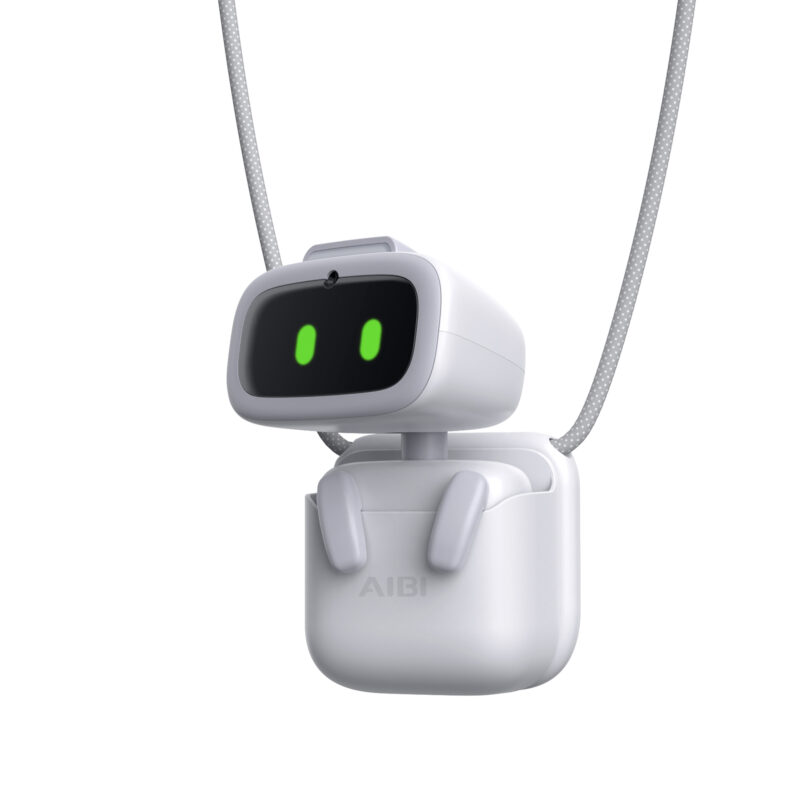
01 · GUIDE
Unbox and inspect
Check AIBI, the Pocket shell, magnetic wearing panel, charging base and Type-C cable against your purchased bundle.Inspect the camera, screen, base contact area and cable for transport damage. Remove packaging and use a clear desktop.
Complete charging and connection on the desk before trying wearable use. Check that the attachment is secure before moving.
Guide image coming soon
02 · GUIDE
Charge on the base
Connect the base to a compatible power source with the Type-C cable, on a dry, level, ventilated surface.Let the magnetic guide align AIBI on the base. Check for startup or charging feedback before letting go.
If there is no response, check power, cable and alignment. Keep the contact area clean and never charge while damp.
Guide image coming soon
03 · GUIDE
Start up and rest
Placing AIBI on its powered magnetic base starts the device. Wait for its normal face to appear after first startup.Say “AIBI” and pause for a response. Practise waking it while charging, playing or resting without repeatedly shouting.
Resting is different from powering off. Use the shutdown or restart option documented by your current app or supplied manual; do not use another robot’s button sequence.
Guide image coming soon
04 · GUIDE
Connect the AIBI app
Install the AIBI app from your phone’s official app store and check that it is the app for AIBI.Keep the phone near the powered device. Follow the app’s connection flow and allow the Bluetooth or nearby-device access it requests.
Continue to Wi-Fi setup after connecting. If AIBI is missing, check charge, phone permissions and whether another phone is connected.
Guide image coming soon
05 · GUIDE
Set up 2.4 GHz Wi-Fi
Use a stable 2.4 GHz Wi-Fi network; the original manual excludes 5 GHz.Configure Wi-Fi through the connected AIBI app. Check the selected network and password and stay near the router during setup.
If connection fails, check band and password before retrying. Test basic touch responses separately from online questions and weather features.
Guide image coming soon
06 · GUIDE
Touch, voice and wearing
Gently touch the head or lift AIBI and watch its expression. Avoid vigorous shaking or forcing moving parts.Try “AIBI, what can you do?” to discover skills. When introducing yourself, greet it and wait for it to ask your name.
For wearing, seat AIBI in the Pocket and place the magnetic panel inside clothing to attach the Pocket outside. Check the hold. The manual says pacemaker users must not use this magnetic panel.
Guide image coming soon
07 · GUIDE
Photos and face interaction
Keep the front camera clear and face AIBI in good light. Wake it, then try “AIBI, take a photo”.Review the result using the photo area available in your app. Confirm images are saved before clearing data or resetting.
Get permission before photographing others. Face interaction depends on light, angle and obstructions and is not identity verification.
Guide image coming soon
08 · GUIDE
System updates
Check for an AIBI app update, then look for a device firmware update offered by the app.Ensure sufficient charge and stable Wi-Fi. Return it to the base if prompted and wait for completion without interrupting power.
Reconnect afterwards and check expressions, touch and online functions. Available features and menus depend on the installed version.
Guide image coming soon
09 · GUIDE
Cleaning and storage
Stop interaction and remove AIBI from the charging base before gently wiping the shell, screen and camera with a soft dry cloth.Do not spray cleaner onto it, immerse it, force joints or insert sharp objects into openings.
Check it is dry before storing. Keep the magnetic panel and cable secure, away from heat, moisture and exposed edges.
Guide image coming soon
10 · GUIDE
Troubleshoot by symptom
No screen response: check base power, cable and magnetic alignment before considering anything else; do not open the device.Connection or online-question failure: check phone permissions, 2.4 GHz Wi-Fi and app state separately. Working touch feedback does not prove internet access.
If the problem remains, record the screen message, app and firmware versions and steps that reproduce it. Contact support without including Wi-Fi passwords in screenshots.
Guide image coming soon
NEED MORE HELP?